> ## Documentation Index
> Fetch the complete documentation index at: https://botpress-pb-update-api.mintlify.site/llms.txt
> Use this file to discover all available pages before exploring further.
# Set up conversations
> Handle user messages across channels.
Conversations are how your agent receives and responds to user messages. Each conversation file defines a handler that runs when a message arrives on a matching channel.
## Creating a conversation
Create a file in `src/conversations/` that exports a `Conversation`:
```typescript theme={null}
import { Conversation } from "@botpress/runtime"
export default new Conversation({
channel: "*",
handler: async ({ execute }) => {
await execute({
instructions: "You are a helpful assistant.",
})
},
})
```
This is the simplest possible conversation. It matches all channels and hands every message to the AI model with a system instruction.
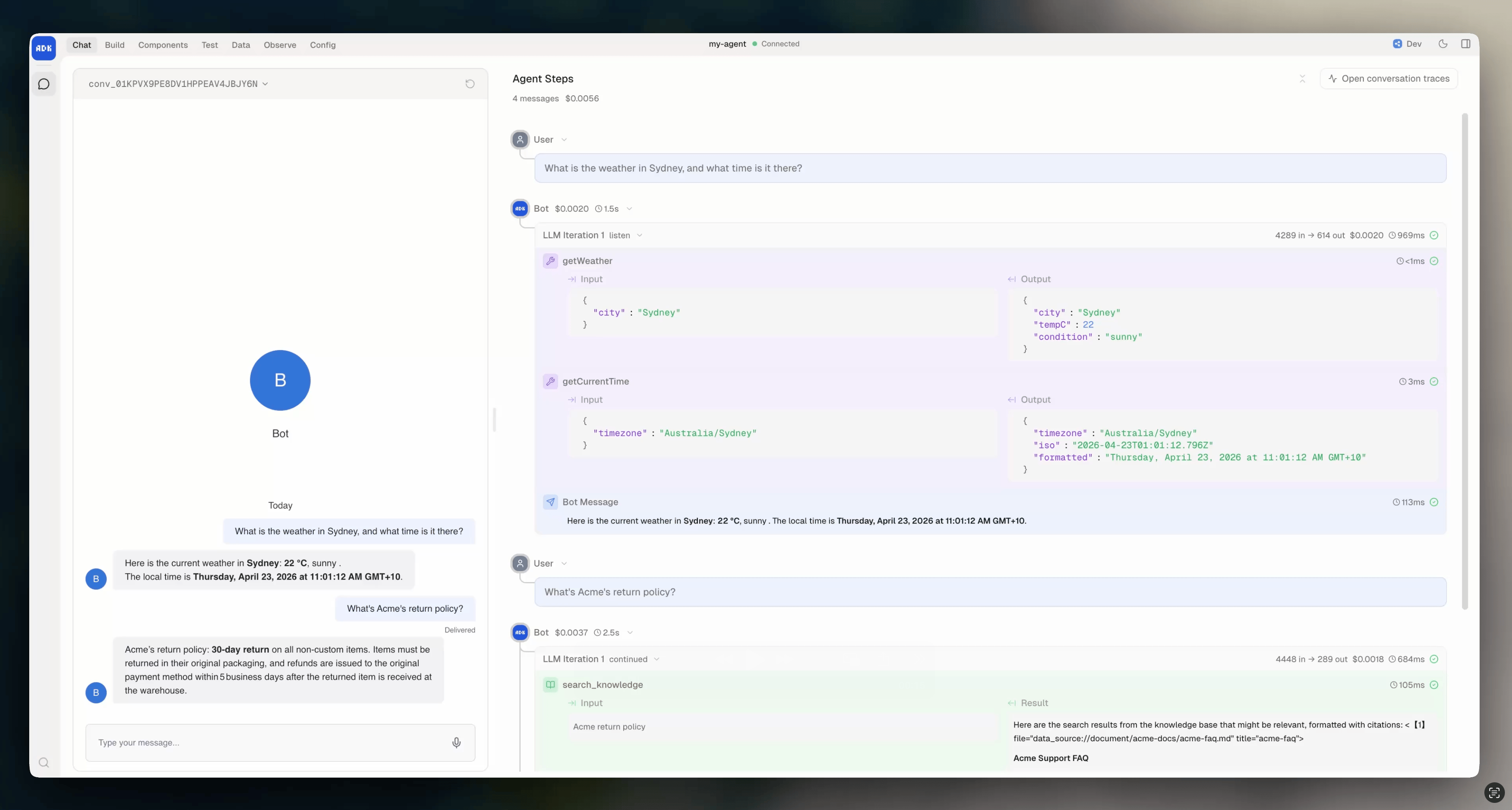
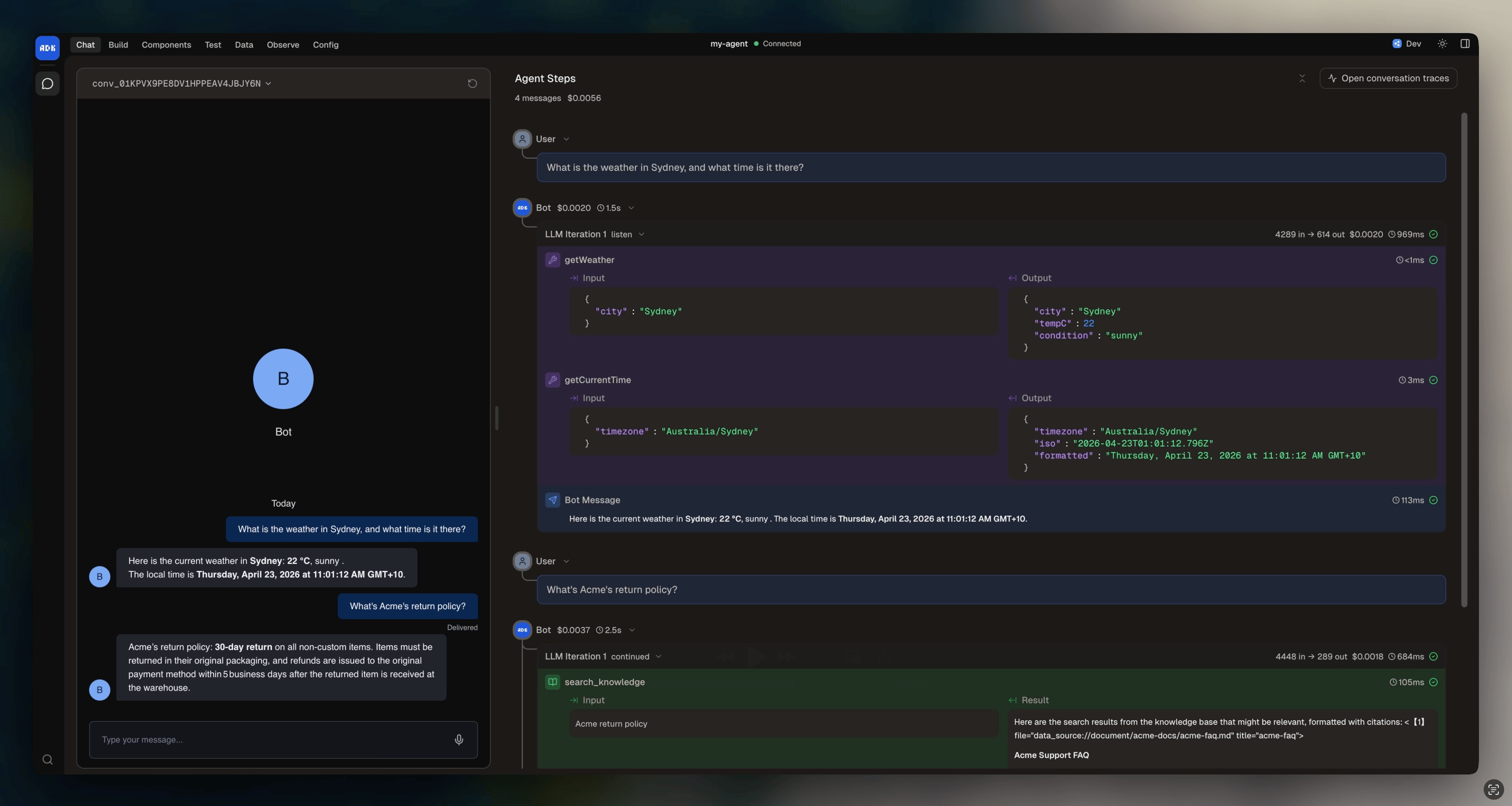
You can test your conversation using the **Chat** page in the dev console. This requires the webchat integration, so install it first with `adk add webchat`.
 ## Channel matching
The `channel` field determines which integration channels this conversation handles:
```ts All channels highlight={2} theme={"theme":{"light":"light-plus","dark":"dark-plus"}} theme={null}
export default new Conversation({
channel: "*",
handler: async ({ execute }) => {
await execute({
instructions: "You are a helpful assistant.",
});
},
});
```
```ts Specific channel highlight={2} theme={"theme":{"light":"light-plus","dark":"dark-plus"}} theme={null}
export default new Conversation({
channel: "webchat.channel",
handler: async ({ execute }) => {
await execute({
instructions: "You are a helpful assistant.",
});
},
});
```
```ts Array of channels highlight={2-5} theme={"theme":{"light":"light-plus","dark":"dark-plus"}} theme={null}
export default new Conversation({
channel: [
"chat.channel",
"webchat.channel"
],
handler: async ({ execute }) => {
await execute({
instructions: "You are a helpful assistant.",
});
},
});
```
When you use `"*"`, the handler runs for any channel, but `message` and `event` are typed as `unknown`. Specifying a channel gives you strict types on message payloads, event payloads, and the conversation instance:
```typescript theme={null}
// channel: "*" — message.payload is unknown
handler: async ({ message }) => {
const text = message.payload.text // ❌ TypeScript error
}
// channel: "webchat.channel" — message.payload is fully typed
handler: async ({ message }) => {
const text = message.payload.text // ✅ string
}
```
If multiple conversation files match the same channel, the most specific match wins. A conversation with `channel: "webchat.channel"` takes priority over one with `channel: "*"` for webchat messages.
## Multiple conversations
You can create separate conversation files for different channels or use cases:
```
src/conversations/
├── webchat.ts # Webchat messages
├── slack.ts # Slack messages
└── support.ts # Support channel
```
Each file exports a `Conversation` with its own channel, handler, and configuration. The ADK discovers them all automatically.
## Handler types
Your handler receives different types of requests. Check the `type` field to determine what you're handling:
```typescript theme={null}
export default new Conversation({
channel: "webchat.channel",
handler: async (props) => {
switch (props.type) {
case "message":
// A user sent a message
await props.execute({ instructions: "You are a helpful assistant." })
break
case "event":
// An integration event fired (e.g., conversationStarted)
break
case "workflow_request":
// A workflow is asking the user for input
break
case "workflow_callback":
// A workflow finished and is reporting back
break
case "workflow_notify":
// A workflow is sending a progress update
break
case "nudge":
// Lifecycle nudge (user has been idle)
break
case "expire":
// Lifecycle expiration (session ending)
break
}
},
})
```
Most conversations only need to handle `"message"`. The other types become relevant as you add [workflows](/adk/workflows/create), [lifecycle management](/adk/conversations/lifecycle), and [events](#listening-to-events).
## Handler parameters
Every handler type receives these common parameters:
| Parameter | Type | Description |
| -------------- | ---------- | -------------------------------------------------------- |
| `type` | `string` | The request type (`"message"`, `"event"`, etc.) |
| `conversation` | `object` | Conversation instance for sending messages, reading tags |
| `state` | `object` | Mutable conversation state, auto-persisted |
| `client` | `object` | Botpress client for API calls (tables, events, etc.) |
| `execute` | `function` | Run the AI model with instructions, tools, and knowledge |
| `chat` | `Chat` | Chat instance for transcript management |
| `channel` | `string` | The channel this request came from |
When `type` is `"message"`, you also get `message` with the message payload. When `type` is `"event"`, you get `event` with the event payload.
## Listening to events
By default, conversations only receive messages. To listen to integration events or custom events, add the `events` prop:
```typescript theme={null}
export default new Conversation({
channel: "webchat.channel",
events: ["webchat:conversationStarted"],
handler: async (props) => {
if (props.type === "event" && props.event.type === "webchat:conversationStarted") {
await props.conversation.send({
type: "text",
payload: { text: "Welcome! How can I help you?" },
})
return
}
await props.execute({ instructions: "You are a helpful assistant." })
},
})
```
Events use the format `"integration:eventName"` for integration events, or just the event name for custom events defined in `agent.config.ts`.
## Conversation state
Each conversation can declare its own state schema, separate from the bot and user state in `agent.config.ts`:
```typescript highlight={3-6} theme={null}
export default new Conversation({
channel: "webchat.channel",
state: z.object({
topic: z.string().optional(),
messageCount: z.number().default(0),
}),
handler: async ({ state, execute }) => {
state.messageCount += 1
await execute({
instructions: `You are a helpful assistant. This is message #${state.messageCount}.`,
})
},
})
```
Conversation state is automatically persisted between handler calls.
For more information about state scopes (conversation vs. bot vs. user), check out our guide on [managing states](/adk/conversations/state).
## Channel matching
The `channel` field determines which integration channels this conversation handles:
```ts All channels highlight={2} theme={"theme":{"light":"light-plus","dark":"dark-plus"}} theme={null}
export default new Conversation({
channel: "*",
handler: async ({ execute }) => {
await execute({
instructions: "You are a helpful assistant.",
});
},
});
```
```ts Specific channel highlight={2} theme={"theme":{"light":"light-plus","dark":"dark-plus"}} theme={null}
export default new Conversation({
channel: "webchat.channel",
handler: async ({ execute }) => {
await execute({
instructions: "You are a helpful assistant.",
});
},
});
```
```ts Array of channels highlight={2-5} theme={"theme":{"light":"light-plus","dark":"dark-plus"}} theme={null}
export default new Conversation({
channel: [
"chat.channel",
"webchat.channel"
],
handler: async ({ execute }) => {
await execute({
instructions: "You are a helpful assistant.",
});
},
});
```
When you use `"*"`, the handler runs for any channel, but `message` and `event` are typed as `unknown`. Specifying a channel gives you strict types on message payloads, event payloads, and the conversation instance:
```typescript theme={null}
// channel: "*" — message.payload is unknown
handler: async ({ message }) => {
const text = message.payload.text // ❌ TypeScript error
}
// channel: "webchat.channel" — message.payload is fully typed
handler: async ({ message }) => {
const text = message.payload.text // ✅ string
}
```
If multiple conversation files match the same channel, the most specific match wins. A conversation with `channel: "webchat.channel"` takes priority over one with `channel: "*"` for webchat messages.
## Multiple conversations
You can create separate conversation files for different channels or use cases:
```
src/conversations/
├── webchat.ts # Webchat messages
├── slack.ts # Slack messages
└── support.ts # Support channel
```
Each file exports a `Conversation` with its own channel, handler, and configuration. The ADK discovers them all automatically.
## Handler types
Your handler receives different types of requests. Check the `type` field to determine what you're handling:
```typescript theme={null}
export default new Conversation({
channel: "webchat.channel",
handler: async (props) => {
switch (props.type) {
case "message":
// A user sent a message
await props.execute({ instructions: "You are a helpful assistant." })
break
case "event":
// An integration event fired (e.g., conversationStarted)
break
case "workflow_request":
// A workflow is asking the user for input
break
case "workflow_callback":
// A workflow finished and is reporting back
break
case "workflow_notify":
// A workflow is sending a progress update
break
case "nudge":
// Lifecycle nudge (user has been idle)
break
case "expire":
// Lifecycle expiration (session ending)
break
}
},
})
```
Most conversations only need to handle `"message"`. The other types become relevant as you add [workflows](/adk/workflows/create), [lifecycle management](/adk/conversations/lifecycle), and [events](#listening-to-events).
## Handler parameters
Every handler type receives these common parameters:
| Parameter | Type | Description |
| -------------- | ---------- | -------------------------------------------------------- |
| `type` | `string` | The request type (`"message"`, `"event"`, etc.) |
| `conversation` | `object` | Conversation instance for sending messages, reading tags |
| `state` | `object` | Mutable conversation state, auto-persisted |
| `client` | `object` | Botpress client for API calls (tables, events, etc.) |
| `execute` | `function` | Run the AI model with instructions, tools, and knowledge |
| `chat` | `Chat` | Chat instance for transcript management |
| `channel` | `string` | The channel this request came from |
When `type` is `"message"`, you also get `message` with the message payload. When `type` is `"event"`, you get `event` with the event payload.
## Listening to events
By default, conversations only receive messages. To listen to integration events or custom events, add the `events` prop:
```typescript theme={null}
export default new Conversation({
channel: "webchat.channel",
events: ["webchat:conversationStarted"],
handler: async (props) => {
if (props.type === "event" && props.event.type === "webchat:conversationStarted") {
await props.conversation.send({
type: "text",
payload: { text: "Welcome! How can I help you?" },
})
return
}
await props.execute({ instructions: "You are a helpful assistant." })
},
})
```
Events use the format `"integration:eventName"` for integration events, or just the event name for custom events defined in `agent.config.ts`.
## Conversation state
Each conversation can declare its own state schema, separate from the bot and user state in `agent.config.ts`:
```typescript highlight={3-6} theme={null}
export default new Conversation({
channel: "webchat.channel",
state: z.object({
topic: z.string().optional(),
messageCount: z.number().default(0),
}),
handler: async ({ state, execute }) => {
state.messageCount += 1
await execute({
instructions: `You are a helpful assistant. This is message #${state.messageCount}.`,
})
},
})
```
Conversation state is automatically persisted between handler calls.
For more information about state scopes (conversation vs. bot vs. user), check out our guide on [managing states](/adk/conversations/state).