> ## Documentation Index
> Fetch the complete documentation index at: https://botpress-pb-update-api.mintlify.site/llms.txt
> Use this file to discover all available pages before exploring further.
# Create actions
> Create reusable functions that can be called from anywhere in your agent or from external systems.
Actions are reusable functions that hold shared business logic. You can call them from your agent's code (via [conversations](#from-a-conversation), [workflows](#from-a-workflow), [triggers](#from-a-trigger), [tools](#from-a-tool), or other actions). You can also [call them over HTTP](#calling-from-external-systems) from external systems.
## Creating an action
Create a file in `src/actions/`:
```typescript theme={null}
import { Action, z } from "@botpress/runtime"
export default new Action({
name: "calculateTotal",
description: "Calculate the total price including tax",
input: z.object({
items: z.array(z.object({
price: z.number(),
quantity: z.number(),
})),
taxRate: z.number().default(0.08),
}),
output: z.object({
subtotal: z.number(),
tax: z.number(),
total: z.number(),
}),
handler: async ({ input }) => {
const subtotal = input.items.reduce(
(sum, item) => sum + item.price * item.quantity, 0
)
const tax = subtotal * input.taxRate
return { subtotal, tax, total: subtotal + tax }
},
})
```
Action names must be alphanumeric with no underscores, dashes, or spaces (e.g. `calculateTotal`, not `calculate_total`).
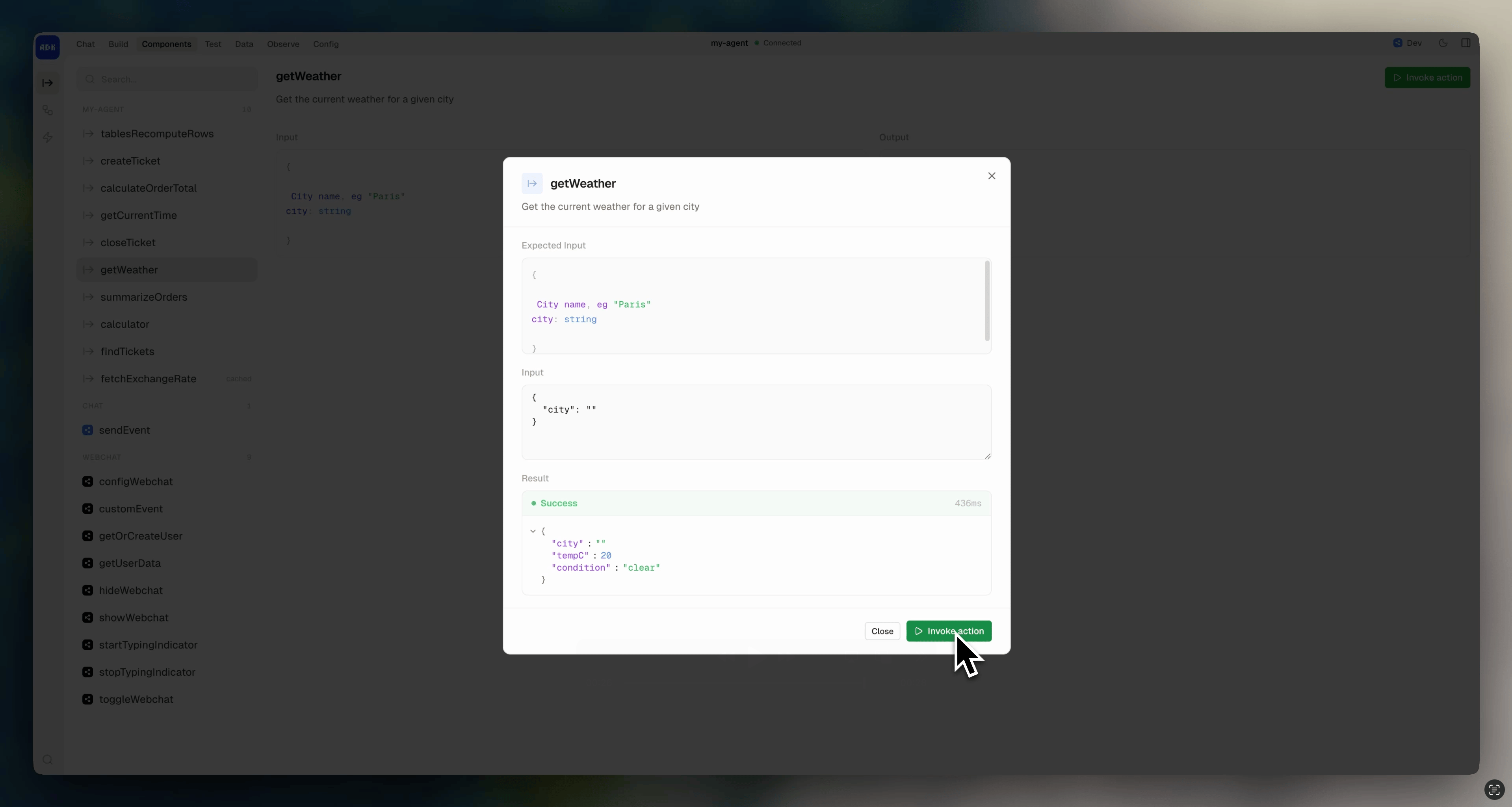
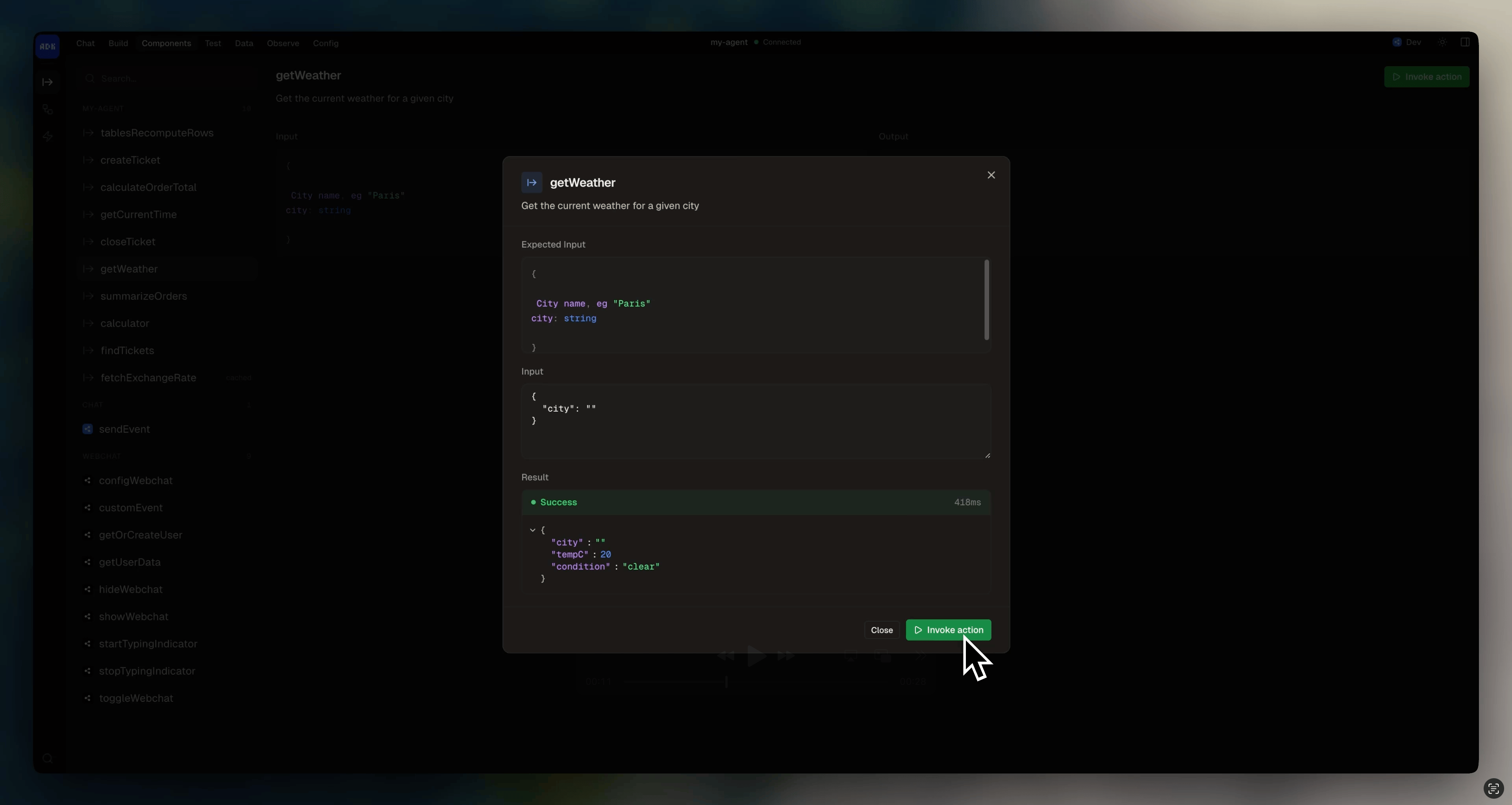
Browse and test actions from the dev console:
 ### Caching results
Set `cached: true` to cache an action's output by its input. Subsequent calls with the same input return the cached result instead of re-running the handler:
```typescript highlight={3} theme={null}
export default new Action({
name: "fetchExchangeRate",
cached: true,
input: z.object({ from: z.string(), to: z.string() }),
output: z.object({ rate: z.number() }),
handler: async ({ input }) => {
const rate = await fetchRate(input.from, input.to)
return { rate }
},
})
```
This is useful for actions that are pure, perform an expensive calculation, and are called repeatedly with the same inputs.
## Calling actions
Import `actions` from `@botpress/runtime` and call any action by name. The action's input and output are fully typed.
### From a conversation
```typescript theme={null}
import { Conversation, actions } from "@botpress/runtime"
export default new Conversation({
channel: "webchat.channel",
handler: async ({ execute }) => {
const result = await actions.calculateTotal({
items: [{ price: 10, quantity: 2 }],
})
console.log(result.total)
await execute({ instructions: "You are a helpful assistant." })
},
})
```
### From a workflow
```typescript theme={null}
import { Workflow, actions } from "@botpress/runtime"
export default new Workflow({
name: "processOrder",
handler: async ({ input, step }) => {
const totals = await step("calculate", async () => {
return await actions.calculateTotal({ items: input.items })
})
},
})
```
### From a tool
```typescript theme={null}
import { Autonomous, actions, z } from "@botpress/runtime"
export default new Autonomous.Tool({
name: "getOrderTotal",
description: "Calculate the total for an order",
input: z.object({ items: z.array(z.object({ price: z.number(), quantity: z.number() })) }),
output: z.object({ total: z.number() }),
handler: async ({ items }) => {
const result = await actions.calculateTotal({ items })
return { total: result.total }
},
})
```
### From a trigger
```typescript theme={null}
import { Trigger, actions } from "@botpress/runtime"
export default new Trigger({
name: "onOrderCreated",
events: ["orderPlaced"],
handler: async ({ event }) => {
await actions.calculateTotal({ items: event.payload.items })
},
})
```
## As a tool
While actions are just functions that can be called from anywhere, [tools](/adk/conversations/tools) only exist inside `execute()` and are called by the LLM. If you want the LLM to have access to a certain action:
1. Convert it to a tool with `.asTool()`
2. Pass it into the `tools` field:
```typescript highlight={8} theme={null}
import { Conversation, actions } from "@botpress/runtime"
export default new Conversation({
channel: "webchat.channel",
handler: async ({ execute }) => {
await execute({
instructions: "You are a shopping assistant.",
tools: [actions.calculateTotal.asTool()],
})
},
})
```
You should always provide a detailed description that helps the LLM decide when to use a tool. When converting an action to a tool, you can override its description by passing a string into the`description` field:
```typescript theme={null}
actions.calculateTotal.asTool({ description: "Calculate the total price with tax for the user's cart" })
```
## Integration actions
When you add an integration, its actions are available under `actions.`:
```typescript theme={null}
import { actions } from "@botpress/runtime"
await actions.webchat.showWebchat({ conversationId })
await actions.slack.addReaction({ name: "thumbsup", channel, timestamp })
```
## Calling from external systems
Actions are exposed via the Botpress [Runtime API](/api-reference/runtime-api/getting-started)'s [`callAction`](/api-reference/runtime-api/openapi/callAction) endpoint. External services can call your agent's actions over HTTP:
```bash theme={null}
curl -X POST https://api.botpress.cloud/v1/chat/actions \
-H "Content-Type: application/json" \
-H "Authorization: Bearer YOUR_PAT" \
-H "x-bot-id: YOUR_BOT_ID" \
-d '{
"type": "calculateTotal",
"input": {
"items": [{ "price": 10, "quantity": 2 }],
"taxRate": 0.08
}
}'
```
This makes actions the bridge between your agent and external systems. A backend service, a webhook handler, or another application can trigger your agent's logic without going through a conversation.
### Caching results
Set `cached: true` to cache an action's output by its input. Subsequent calls with the same input return the cached result instead of re-running the handler:
```typescript highlight={3} theme={null}
export default new Action({
name: "fetchExchangeRate",
cached: true,
input: z.object({ from: z.string(), to: z.string() }),
output: z.object({ rate: z.number() }),
handler: async ({ input }) => {
const rate = await fetchRate(input.from, input.to)
return { rate }
},
})
```
This is useful for actions that are pure, perform an expensive calculation, and are called repeatedly with the same inputs.
## Calling actions
Import `actions` from `@botpress/runtime` and call any action by name. The action's input and output are fully typed.
### From a conversation
```typescript theme={null}
import { Conversation, actions } from "@botpress/runtime"
export default new Conversation({
channel: "webchat.channel",
handler: async ({ execute }) => {
const result = await actions.calculateTotal({
items: [{ price: 10, quantity: 2 }],
})
console.log(result.total)
await execute({ instructions: "You are a helpful assistant." })
},
})
```
### From a workflow
```typescript theme={null}
import { Workflow, actions } from "@botpress/runtime"
export default new Workflow({
name: "processOrder",
handler: async ({ input, step }) => {
const totals = await step("calculate", async () => {
return await actions.calculateTotal({ items: input.items })
})
},
})
```
### From a tool
```typescript theme={null}
import { Autonomous, actions, z } from "@botpress/runtime"
export default new Autonomous.Tool({
name: "getOrderTotal",
description: "Calculate the total for an order",
input: z.object({ items: z.array(z.object({ price: z.number(), quantity: z.number() })) }),
output: z.object({ total: z.number() }),
handler: async ({ items }) => {
const result = await actions.calculateTotal({ items })
return { total: result.total }
},
})
```
### From a trigger
```typescript theme={null}
import { Trigger, actions } from "@botpress/runtime"
export default new Trigger({
name: "onOrderCreated",
events: ["orderPlaced"],
handler: async ({ event }) => {
await actions.calculateTotal({ items: event.payload.items })
},
})
```
## As a tool
While actions are just functions that can be called from anywhere, [tools](/adk/conversations/tools) only exist inside `execute()` and are called by the LLM. If you want the LLM to have access to a certain action:
1. Convert it to a tool with `.asTool()`
2. Pass it into the `tools` field:
```typescript highlight={8} theme={null}
import { Conversation, actions } from "@botpress/runtime"
export default new Conversation({
channel: "webchat.channel",
handler: async ({ execute }) => {
await execute({
instructions: "You are a shopping assistant.",
tools: [actions.calculateTotal.asTool()],
})
},
})
```
You should always provide a detailed description that helps the LLM decide when to use a tool. When converting an action to a tool, you can override its description by passing a string into the`description` field:
```typescript theme={null}
actions.calculateTotal.asTool({ description: "Calculate the total price with tax for the user's cart" })
```
## Integration actions
When you add an integration, its actions are available under `actions.`:
```typescript theme={null}
import { actions } from "@botpress/runtime"
await actions.webchat.showWebchat({ conversationId })
await actions.slack.addReaction({ name: "thumbsup", channel, timestamp })
```
## Calling from external systems
Actions are exposed via the Botpress [Runtime API](/api-reference/runtime-api/getting-started)'s [`callAction`](/api-reference/runtime-api/openapi/callAction) endpoint. External services can call your agent's actions over HTTP:
```bash theme={null}
curl -X POST https://api.botpress.cloud/v1/chat/actions \
-H "Content-Type: application/json" \
-H "Authorization: Bearer YOUR_PAT" \
-H "x-bot-id: YOUR_BOT_ID" \
-d '{
"type": "calculateTotal",
"input": {
"items": [{ "price": 10, "quantity": 2 }],
"taxRate": 0.08
}
}'
```
This makes actions the bridge between your agent and external systems. A backend service, a webhook handler, or another application can trigger your agent's logic without going through a conversation.