> ## Documentation Index
> Fetch the complete documentation index at: https://botpress-pb-update-api.mintlify.site/llms.txt
> Use this file to discover all available pages before exploring further.
# Integrations
> Connect your agent to channels and external services.
Integrations connect your agent to the outside world. They provide channels (Webchat, Slack, WhatsApp) and external services (Gmail, Linear, Stripe).
## Adding integrations
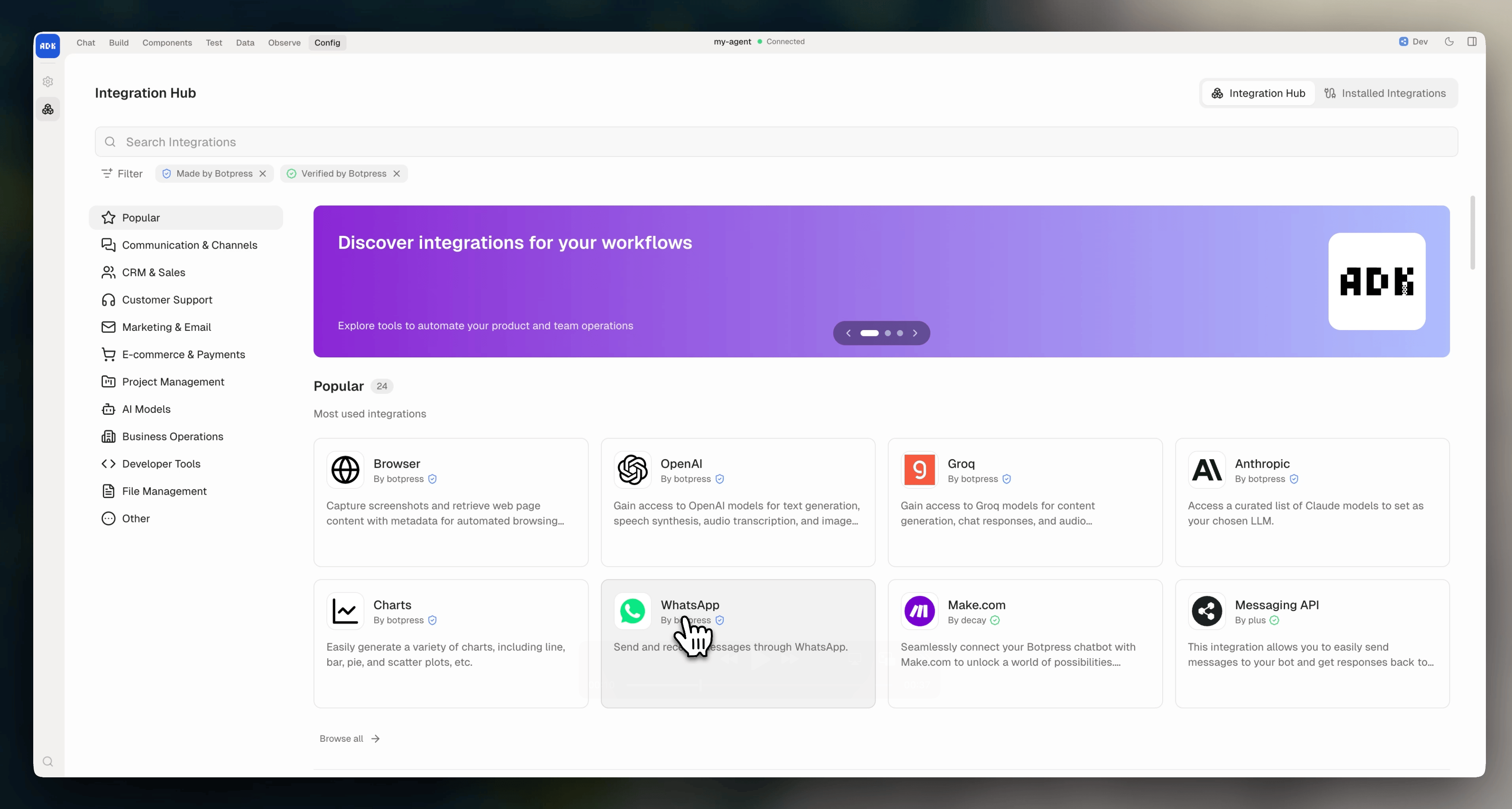
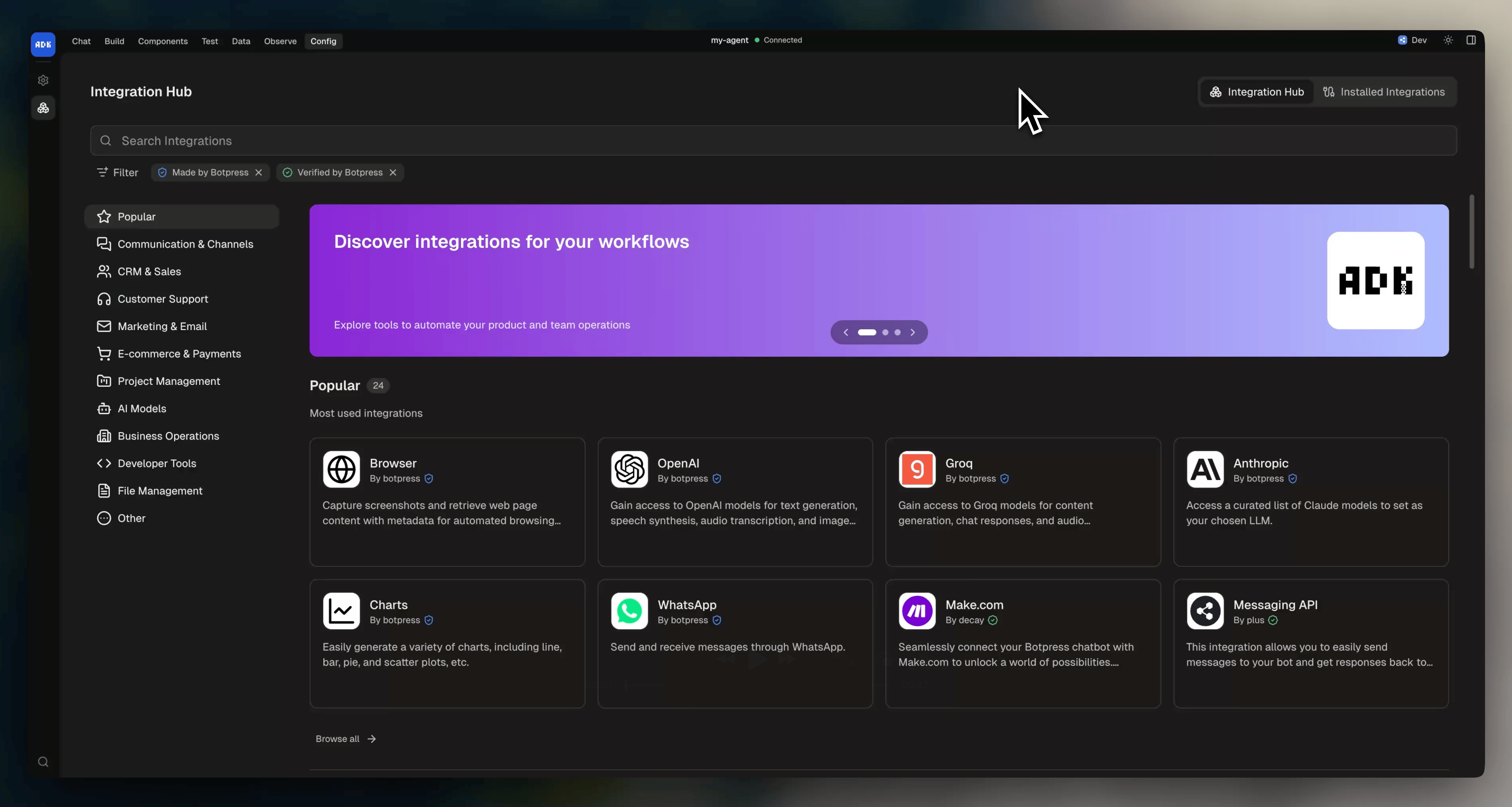
The dev console has a built-in integration hub. Browse the full catalog and install any integration straight into your project, no CLI needed:
 ## Configuring integrations
Most integrations need configuration (API keys, tokens, webhook URLs) before they can run. Open an installed integration in the dev console to fill in its settings:
## Configuring integrations
Most integrations need configuration (API keys, tokens, webhook URLs) before they can run. Open an installed integration in the dev console to fill in its settings:
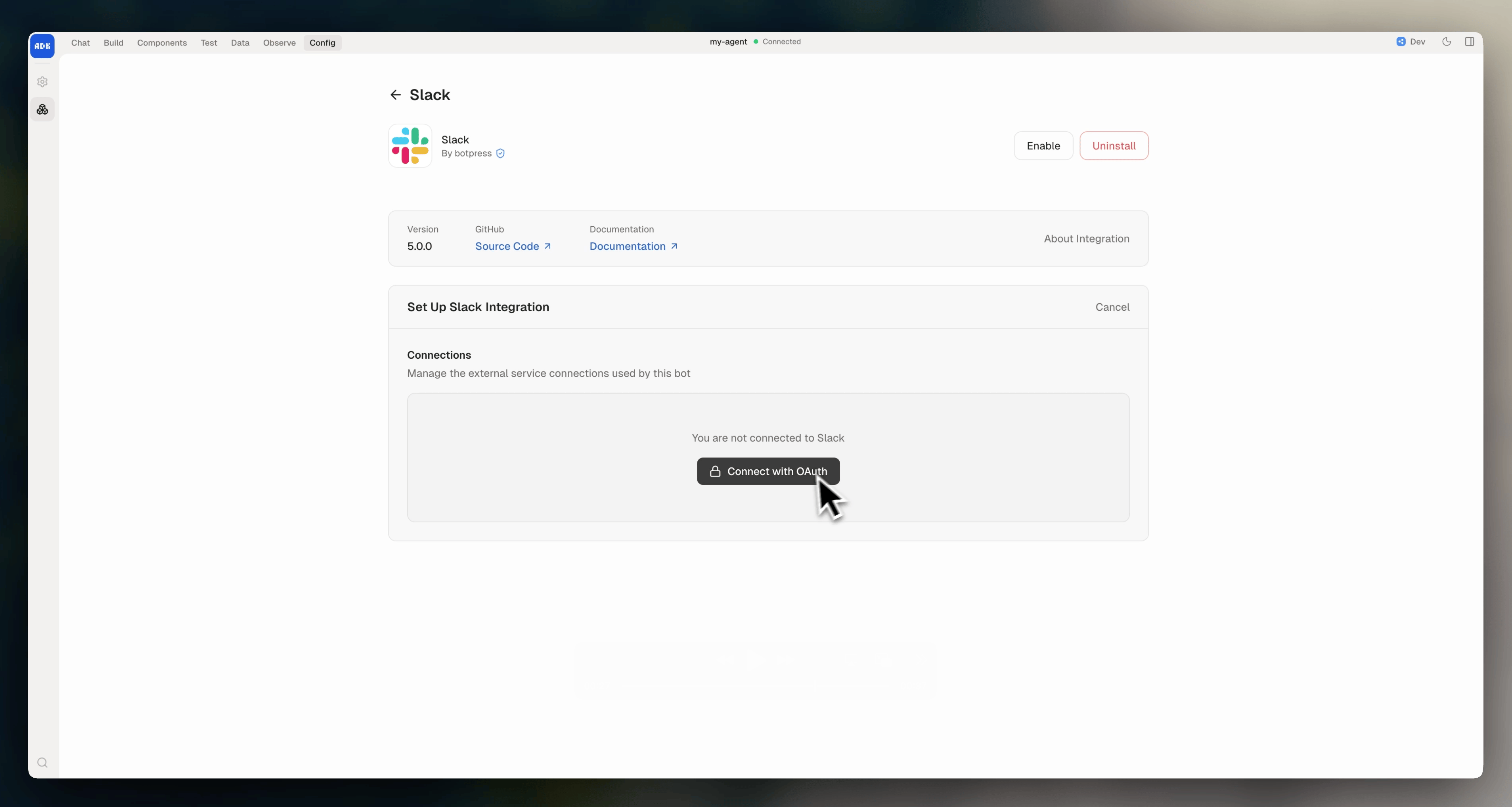
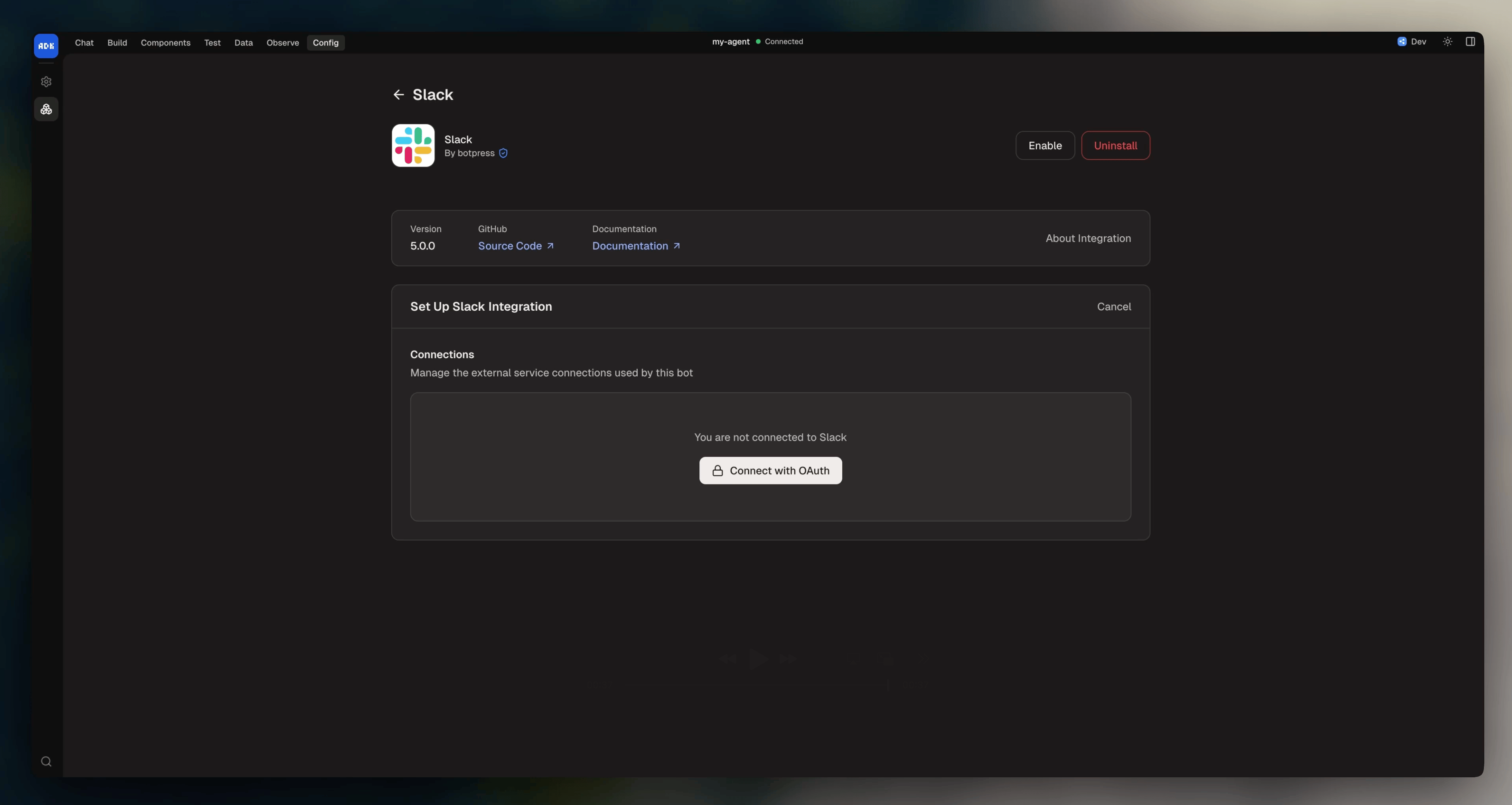 Integration configuration is stored directly on Botpress' servers, not in your local project files. This differs from your agent's secrets, which your code reads directly.
Your development bot and production bot each have their own configuration, so you can use different API keys or settings per environment.
## Enabling and disabling
Newly added integrations are disabled by default. You can enable them from the dev console, or switch to the object form in `agent.config.ts` and set `enabled: true`:
```typescript theme={null}
dependencies: {
integrations: {
webchat: {
version: "webchat@latest",
enabled: true,
},
},
},
```
To disable an enabled integration without removing it, set `enabled: false`:
```typescript theme={null}
dependencies: {
integrations: {
slack: {
version: "slack@latest",
enabled: false,
},
},
},
```
Disabled integrations are still part of your project (types are generated, code can reference them) but they won't be active when your agent runs. You can also toggle this from the dev console.
## Managing integrations using the CLI
You can also manage integrations from the command line:
| Command | What it does |
| -------------------------------- | -------------------------------------------------------------- |
| `adk search ` | Search the Botpress Hub for integrations |
| `adk list --available` | List all available integrations |
| `adk info ` | Show details, actions, events, and channels for an integration |
| `adk add ` | Add an integration to your project |
| `adk add --alias ` | Add with a custom alias |
| `adk upgrade ` | Update an integration to a newer version |
| `adk remove ` | Remove an integration from your project |
Newly added integrations are disabled by default. You can enable and configure them in the dev console.
For full documentation on managing integrations via the command line, check out the [CLI reference](/adk/cli-reference).
## Integration versions
Here's the syntax for referencing integration versions:
| Format | Example | Behavior |
| ------------------------ | --------------------------- | ------------------------------------- |
| `name@latest` | `webchat@latest` | Resolves to the newest version |
| `name@version` | `slack@0.5.0` | Pins to a specific version |
| `workspace/name@version` | `my-workspace/custom@1.0.0` | Uses a workspace-specific integration |
Use `@latest` during development. Pin to specific versions for production deployments.
Integration configuration is stored directly on Botpress' servers, not in your local project files. This differs from your agent's secrets, which your code reads directly.
Your development bot and production bot each have their own configuration, so you can use different API keys or settings per environment.
## Enabling and disabling
Newly added integrations are disabled by default. You can enable them from the dev console, or switch to the object form in `agent.config.ts` and set `enabled: true`:
```typescript theme={null}
dependencies: {
integrations: {
webchat: {
version: "webchat@latest",
enabled: true,
},
},
},
```
To disable an enabled integration without removing it, set `enabled: false`:
```typescript theme={null}
dependencies: {
integrations: {
slack: {
version: "slack@latest",
enabled: false,
},
},
},
```
Disabled integrations are still part of your project (types are generated, code can reference them) but they won't be active when your agent runs. You can also toggle this from the dev console.
## Managing integrations using the CLI
You can also manage integrations from the command line:
| Command | What it does |
| -------------------------------- | -------------------------------------------------------------- |
| `adk search ` | Search the Botpress Hub for integrations |
| `adk list --available` | List all available integrations |
| `adk info ` | Show details, actions, events, and channels for an integration |
| `adk add ` | Add an integration to your project |
| `adk add --alias ` | Add with a custom alias |
| `adk upgrade ` | Update an integration to a newer version |
| `adk remove ` | Remove an integration from your project |
Newly added integrations are disabled by default. You can enable and configure them in the dev console.
For full documentation on managing integrations via the command line, check out the [CLI reference](/adk/cli-reference).
## Integration versions
Here's the syntax for referencing integration versions:
| Format | Example | Behavior |
| ------------------------ | --------------------------- | ------------------------------------- |
| `name@latest` | `webchat@latest` | Resolves to the newest version |
| `name@version` | `slack@0.5.0` | Pins to a specific version |
| `workspace/name@version` | `my-workspace/custom@1.0.0` | Uses a workspace-specific integration |
Use `@latest` during development. Pin to specific versions for production deployments.