> ## Documentation Index
> Fetch the complete documentation index at: https://botpress-pb-update-api.mintlify.site/llms.txt
> Use this file to discover all available pages before exploring further.
# Create workflows
> Build long-running background processes that run independently of conversations.
Workflows handle multi-step operations that run in the background. Unlike conversations, which respond to user messages, workflows run independently and can be scheduled, started programmatically, or triggered by the AI model.
Use workflows for things like data processing pipelines, scheduled tasks, multi-step operations that need retries, or any work that shouldn't block a conversation.
## Creating a workflow
Create a file in `src/workflows/`:
```typescript theme={null}
import { Workflow, z } from "@botpress/runtime"
export default new Workflow({
name: "processOrder",
description: "Process a new customer order",
input: z.object({
orderId: z.string(),
}),
output: z.object({
status: z.string(),
total: z.number(),
}),
handler: async ({ input, step }) => {
const order = await step("fetch-order", async () => {
return await fetchOrder(input.orderId)
})
await step("charge-payment", async () => {
await chargePayment(order)
})
return { status: "completed", total: order.total }
},
})
```
The `input` and `output` schemas define what the workflow accepts and returns. Both use Zod.
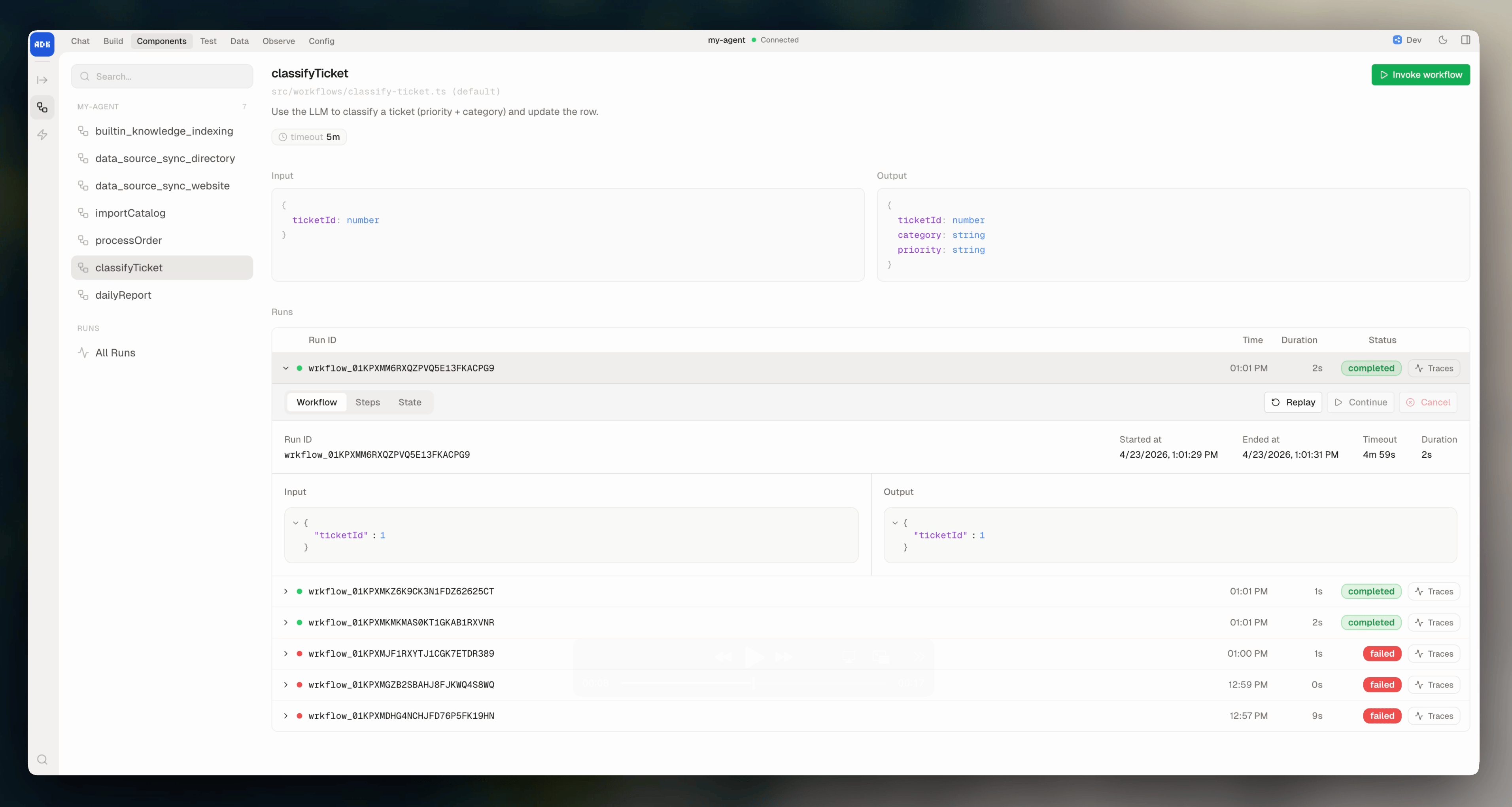
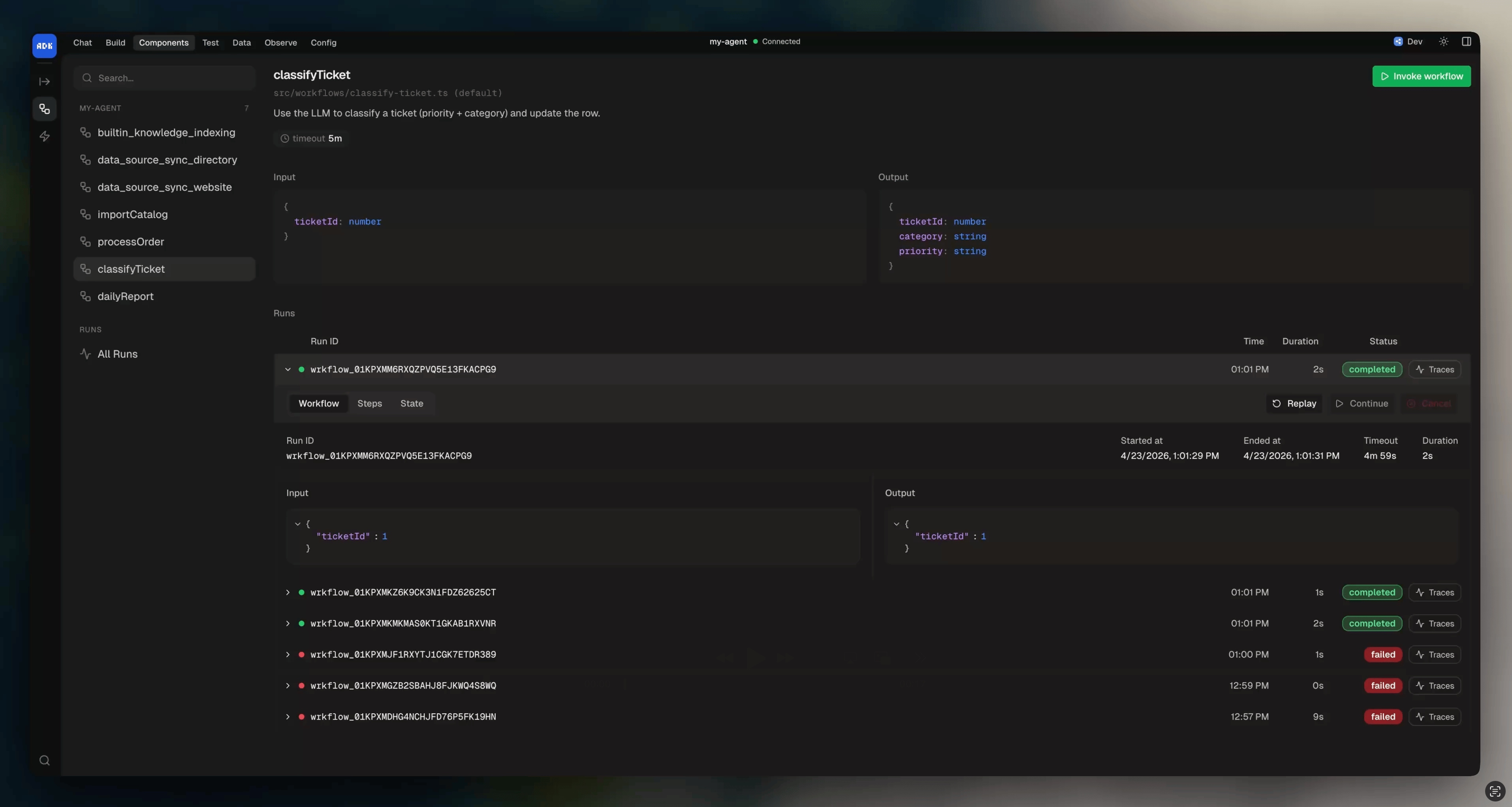
View running and completed workflows, their status, input, output, and run history from the dev console:
 ### Persistent state
Add a `state` schema to carry data across the workflow's steps and retries. State is persisted between executions:
```typescript theme={null}
export default new Workflow({
name: "importJob",
state: z.object({
processed: z.number().default(0),
lastId: z.string().optional(),
}),
handler: async ({ state, step }) => {
await step("process-batch", async () => {
state.processed += 100
state.lastId = "batch-end"
})
},
})
```
## Starting a workflow
### Programmatically
```typescript theme={null}
import ProcessOrderWorkflow from "../workflows/processOrder"
const instance = await ProcessOrderWorkflow.start({ orderId: "12345" })
console.log("Started workflow:", instance.id)
```
### On a schedule
Use a cron expression to run a workflow on a recurring schedule:
```typescript theme={null}
export default new Workflow({
name: "dailyReport",
description: "Generate and send a daily summary",
schedule: "0 9 * * *",
handler: async ({ step }) => {
const data = await step("gather-data", async () => {
return await gatherDailyMetrics()
})
await step("send-report", async () => {
await sendSlackMessage(formatReport(data))
})
},
})
```
Common cron patterns:
| Expression | Schedule |
| ---------------- | ------------------------ |
| `"0 9 * * *"` | Every day at 9:00 AM |
| `"0 */6 * * *"` | Every 6 hours |
| `"*/30 * * * *"` | Every 30 minutes |
| `"0 0 * * 1"` | Every Monday at midnight |
### As a tool
Convert a workflow to a tool so the AI model can start it during `execute()`:
```typescript theme={null}
import { Conversation } from "@botpress/runtime"
import ProcessOrderWorkflow from "../workflows/processOrder"
export default new Conversation({
channel: "webchat.channel",
handler: async ({ execute }) => {
await execute({
instructions: "You are an order management assistant.",
tools: [ProcessOrderWorkflow.asTool()],
})
},
})
```
## Deduplication
Use `getOrCreate()` to avoid starting duplicate workflows:
```typescript theme={null}
const instance = await ProcessOrderWorkflow.getOrCreate({
key: "order-12345",
input: { orderId: "12345" },
statuses: ["pending", "in_progress"],
})
```
If a workflow with the same key and one of the specified statuses already exists, it returns the existing instance instead of creating a new one. `statuses` defaults to `["pending", "in_progress", "listening", "paused"]` if you don't pass it.
## Loading a workflow by ID
```typescript theme={null}
import { Workflow } from "@botpress/runtime"
const instance = await Workflow.get("workflow-id")
```
## Workflow instance
When you start a workflow, you get an instance with these methods:
### Cancel
```typescript theme={null}
await instance.cancel()
```
### Set timeout
Extend or change the workflow timeout:
```typescript theme={null}
await instance.setTimeout({ in: "30m" })
await instance.setTimeout({ at: "2025-01-15T12:00:00Z" })
```
### Complete early
End the workflow from inside the handler with a result:
```typescript theme={null}
export default new Workflow({
name: "myWorkflow",
output: z.object({ result: z.string() }),
handler: async ({ workflow }) => {
workflow.complete({ result: "done early" })
},
})
```
### Fail from inside the handler
Mark the workflow as failed with a reason. This throws immediately and interrupts the handler:
```typescript theme={null}
handler: async ({ input, workflow }) => {
if (!input.orderId) {
workflow.fail("Missing order ID")
}
}
```
### Run autonomous execute
Run the AI model inside the workflow, same as in conversations:
```typescript theme={null}
handler: async ({ workflow, step }) => {
await step("classify", async () => {
return await workflow.execute({
instructions: "Classify this ticket as 'bug' or 'feature'.",
})
})
}
```
## Timeout
Workflows time out after 5 minutes by default. Use the `timeout` prop to change this:
```typescript theme={null}
export default new Workflow({
name: "longProcess",
timeout: "1h",
handler: async ({ step }) => {
// ...
},
})
```
For workflows that need to run longer than 5 minutes, use [steps](/adk/workflows/steps). Steps break the work into persisted checkpoints so the workflow can resume from the last completed step.
## Handler parameters
| Parameter | Type | Description |
| ---------- | ------------- | ------------------------------------------------------------------------------------------------- |
| `input` | `object` | Validated input matching the workflow's input schema |
| `state` | `object` | Mutable workflow state, persisted across executions |
| `step` | `function` | Step function for persistence and control flow |
| `client` | `object` | Botpress client for API calls |
| `execute` | `function` | Run the AI model (same as in conversations) |
| `signal` | `AbortSignal` | Indicates when the workflow should stop |
| `workflow` | `object` | Current workflow instance (id, name, tags, `cancel`, `complete`, `fail`, `setTimeout`, `execute`) |
### Persistent state
Add a `state` schema to carry data across the workflow's steps and retries. State is persisted between executions:
```typescript theme={null}
export default new Workflow({
name: "importJob",
state: z.object({
processed: z.number().default(0),
lastId: z.string().optional(),
}),
handler: async ({ state, step }) => {
await step("process-batch", async () => {
state.processed += 100
state.lastId = "batch-end"
})
},
})
```
## Starting a workflow
### Programmatically
```typescript theme={null}
import ProcessOrderWorkflow from "../workflows/processOrder"
const instance = await ProcessOrderWorkflow.start({ orderId: "12345" })
console.log("Started workflow:", instance.id)
```
### On a schedule
Use a cron expression to run a workflow on a recurring schedule:
```typescript theme={null}
export default new Workflow({
name: "dailyReport",
description: "Generate and send a daily summary",
schedule: "0 9 * * *",
handler: async ({ step }) => {
const data = await step("gather-data", async () => {
return await gatherDailyMetrics()
})
await step("send-report", async () => {
await sendSlackMessage(formatReport(data))
})
},
})
```
Common cron patterns:
| Expression | Schedule |
| ---------------- | ------------------------ |
| `"0 9 * * *"` | Every day at 9:00 AM |
| `"0 */6 * * *"` | Every 6 hours |
| `"*/30 * * * *"` | Every 30 minutes |
| `"0 0 * * 1"` | Every Monday at midnight |
### As a tool
Convert a workflow to a tool so the AI model can start it during `execute()`:
```typescript theme={null}
import { Conversation } from "@botpress/runtime"
import ProcessOrderWorkflow from "../workflows/processOrder"
export default new Conversation({
channel: "webchat.channel",
handler: async ({ execute }) => {
await execute({
instructions: "You are an order management assistant.",
tools: [ProcessOrderWorkflow.asTool()],
})
},
})
```
## Deduplication
Use `getOrCreate()` to avoid starting duplicate workflows:
```typescript theme={null}
const instance = await ProcessOrderWorkflow.getOrCreate({
key: "order-12345",
input: { orderId: "12345" },
statuses: ["pending", "in_progress"],
})
```
If a workflow with the same key and one of the specified statuses already exists, it returns the existing instance instead of creating a new one. `statuses` defaults to `["pending", "in_progress", "listening", "paused"]` if you don't pass it.
## Loading a workflow by ID
```typescript theme={null}
import { Workflow } from "@botpress/runtime"
const instance = await Workflow.get("workflow-id")
```
## Workflow instance
When you start a workflow, you get an instance with these methods:
### Cancel
```typescript theme={null}
await instance.cancel()
```
### Set timeout
Extend or change the workflow timeout:
```typescript theme={null}
await instance.setTimeout({ in: "30m" })
await instance.setTimeout({ at: "2025-01-15T12:00:00Z" })
```
### Complete early
End the workflow from inside the handler with a result:
```typescript theme={null}
export default new Workflow({
name: "myWorkflow",
output: z.object({ result: z.string() }),
handler: async ({ workflow }) => {
workflow.complete({ result: "done early" })
},
})
```
### Fail from inside the handler
Mark the workflow as failed with a reason. This throws immediately and interrupts the handler:
```typescript theme={null}
handler: async ({ input, workflow }) => {
if (!input.orderId) {
workflow.fail("Missing order ID")
}
}
```
### Run autonomous execute
Run the AI model inside the workflow, same as in conversations:
```typescript theme={null}
handler: async ({ workflow, step }) => {
await step("classify", async () => {
return await workflow.execute({
instructions: "Classify this ticket as 'bug' or 'feature'.",
})
})
}
```
## Timeout
Workflows time out after 5 minutes by default. Use the `timeout` prop to change this:
```typescript theme={null}
export default new Workflow({
name: "longProcess",
timeout: "1h",
handler: async ({ step }) => {
// ...
},
})
```
For workflows that need to run longer than 5 minutes, use [steps](/adk/workflows/steps). Steps break the work into persisted checkpoints so the workflow can resume from the last completed step.
## Handler parameters
| Parameter | Type | Description |
| ---------- | ------------- | ------------------------------------------------------------------------------------------------- |
| `input` | `object` | Validated input matching the workflow's input schema |
| `state` | `object` | Mutable workflow state, persisted across executions |
| `step` | `function` | Step function for persistence and control flow |
| `client` | `object` | Botpress client for API calls |
| `execute` | `function` | Run the AI model (same as in conversations) |
| `signal` | `AbortSignal` | Indicates when the workflow should stop |
| `workflow` | `object` | Current workflow instance (id, name, tags, `cancel`, `complete`, `fail`, `setTimeout`, `execute`) |